
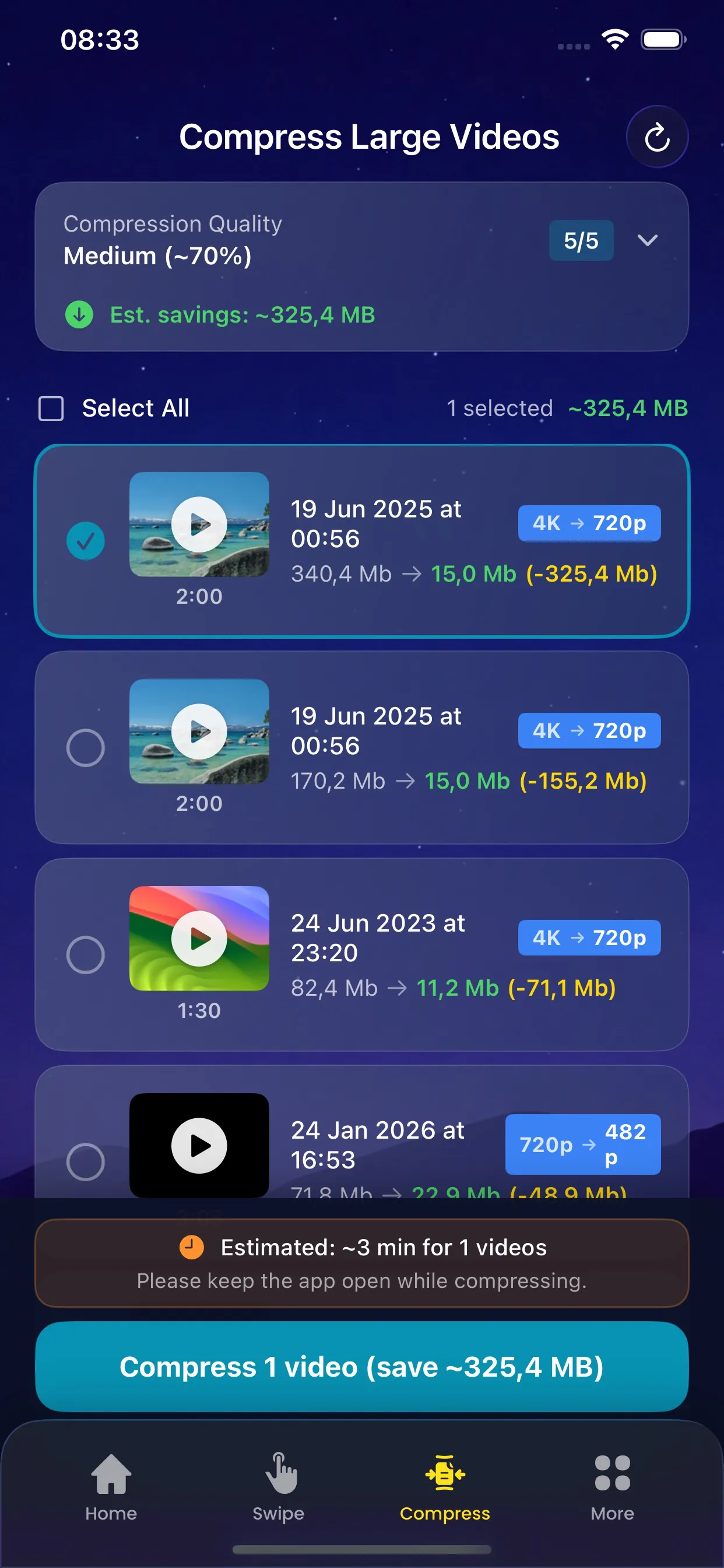
Videos are often the largest files on your iPhone, taking up gigabytes of storage. The Video Compression feature helps you reduce video file sizes significantly while maintaining excellent visual quality.
Our smart compression analyzes each video and applies optimal compression settings based on the content. You can preview the compressed result before saving, ensuring you're happy with the quality.
Key Benefits
Why you'll love this feature
Smart Compression
Optimal settings applied automatically for each video
Quality Preservation
Maintain visual quality while reducing file size
Preview Before Save
Compare original and compressed versions side by side
Batch Processing
Compress multiple videos at once to save time
Size Estimation
See estimated file size before compression
Original Backup
Keep originals until you confirm compression results
How It Works
Simple steps to cleaner storage
1
Select
Choose videos you want to compress
2
Analyze
App determines optimal compression settings
3
Preview
Compare compressed preview with original
4
Compress
Process videos with smart compression
5
Save
Replace originals or keep both versions
Pro Tips
- Start with your largest videos for maximum space savings
- 4K videos can often be compressed by 50% or more
- Preview compressed videos on a larger screen to check quality
Try Video Compression Today
Download PhoneCleanKit and start freeing up space on your iPhone or iPad right away.
Download on the
App Store